Free and open source · macOS, Windows, Linux
Cull and edit a shoot on your own machine.
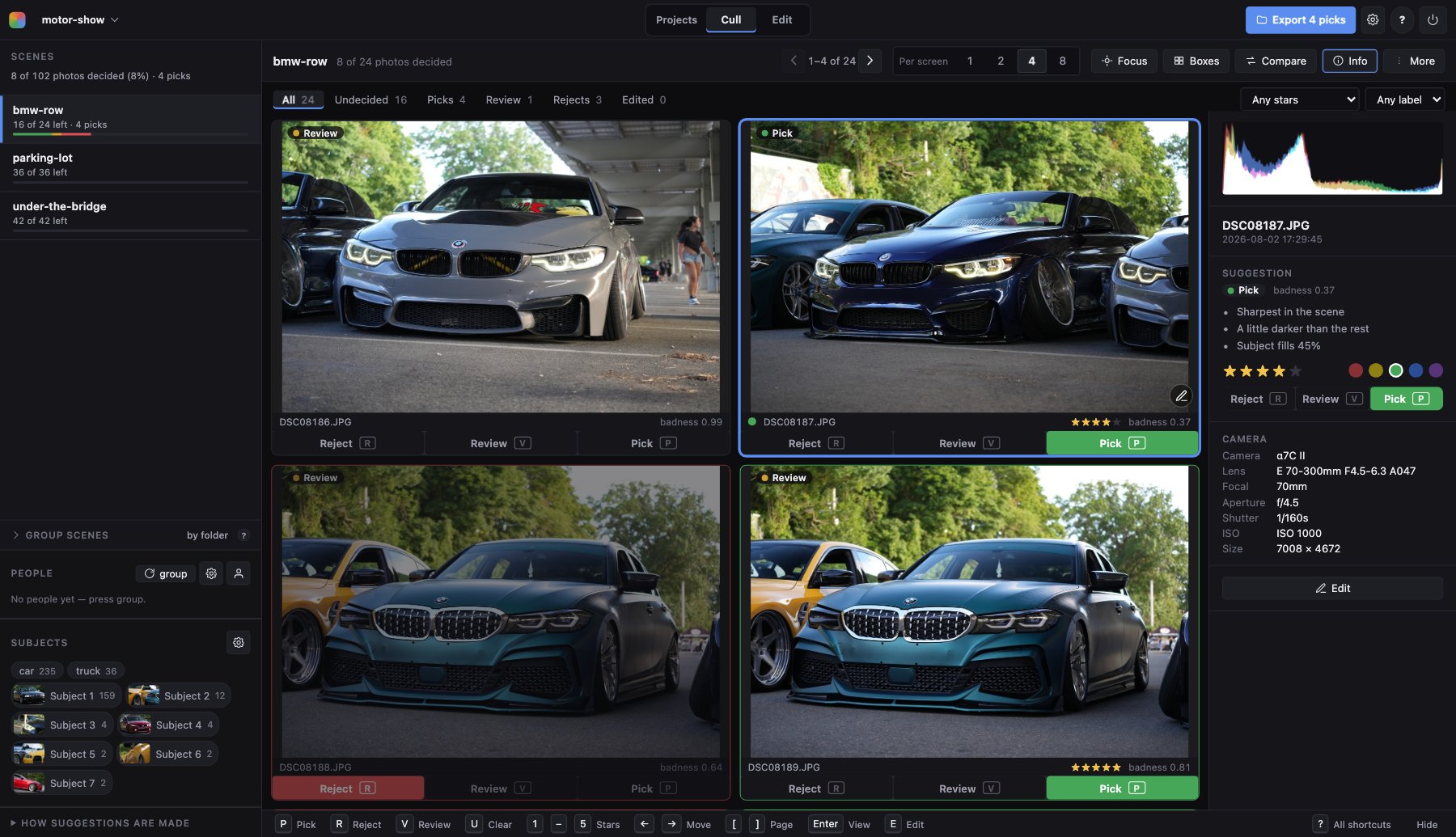
Pickapicka scores every frame for sharpness and exposure, groups the shoot into scenes and suggests what to keep. Then it edits the keepers, non-destructively. Your photos never leave the computer they are on.
Scores every frame
Sharpness and exposure for each photo, weighed against the rest of its scene, and a pick, review or reject suggestion to start from.
One key per photo
P pick, R reject, V review, and on to the next. Stars and colour labels as in Lightroom, kept in every export.
Nothing is uploaded
It runs on your machine and leaves your photos where they are. It never changes one, and deletes only the originals you tell it to. Every decision lives in the project's own folder.
Culling
The first pass, done for you.
Point it at a folder of a few hundred or a few thousand frames. It groups them into scenes, by folder or by the pauses in the capture times, and suggests the keepers in each. You decide, one key at a time.
- Subject detection sorts down the frames that missed the car, and measures sharpness on the subject rather than on the whole frame.
- Faces grouped into people; focus peaking that measures edge steepness, not contrast; a loupe at real pixels.
- Compare two to four frames of a burst side by side, zoomed and panned together.
- HDR brackets found from EXIF and merged into one frame to cull.
- Then clear the rejects off the disk: select them all, click out the few to keep, and send the originals to the Trash, or keep a small JPEG of each for the record.
Editing
An editor for the keepers.
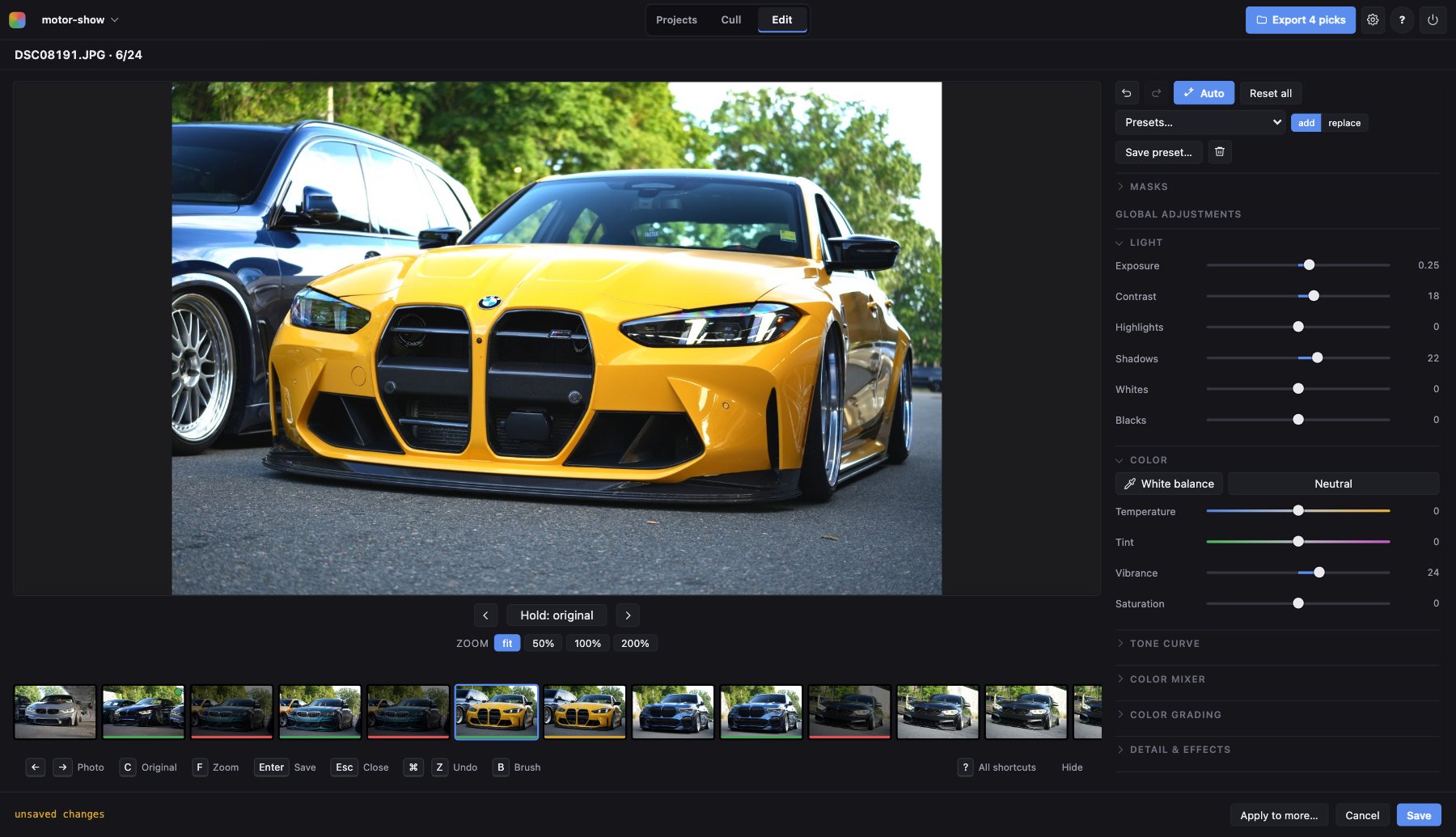
Everything is non-destructive and previewed at the resolution you export at, down to the original pixels at 100%. RAW files are first-class.
- The full slider set and a tone curve, colour mixer and grading.
- Up to 16 local masks: radial, gradient, brush and tonal range, or selected for you: subject, background, skin, face, hair, clothes.
- Crop and straighten, lens and perspective correction, film emulation built as a chain rather than a filter.
- A vignette already in the photo, measured from the frame and put on the lens sliders in one click.
- Watermarks from EXIF templates, and presets that stack.
Getting started, in three minutes.
A video guide from a first launch to exported picks.
Download
Version 0.16.1, released 13 October 2026. Install it once: after that the app finds new versions itself and updates in one click.
macOS
Apple Silicon (M1 and later) · 137 MB
Download the .pkgThe app is not signed, so the first launch needs right-click → Open → Open.
Windows
64-bit (x64) · 112 MB
Download the installerThe installer is not signed, so SmartScreen asks once: More info → Run anyway.
Linux, and anywhere else
With uv and Python 3.12
uv tool install \
  git+https://github.com/son-engr-kr/pickapicka
pickapicka serve
Or Homebrew: brew tap son-engr-kr/pickapicka, then
brew install pickapicka. Every install route.